XABCD TRADING

XABCD Position Tool™
Draw, Size, and Send Orders Directly on the Chart.
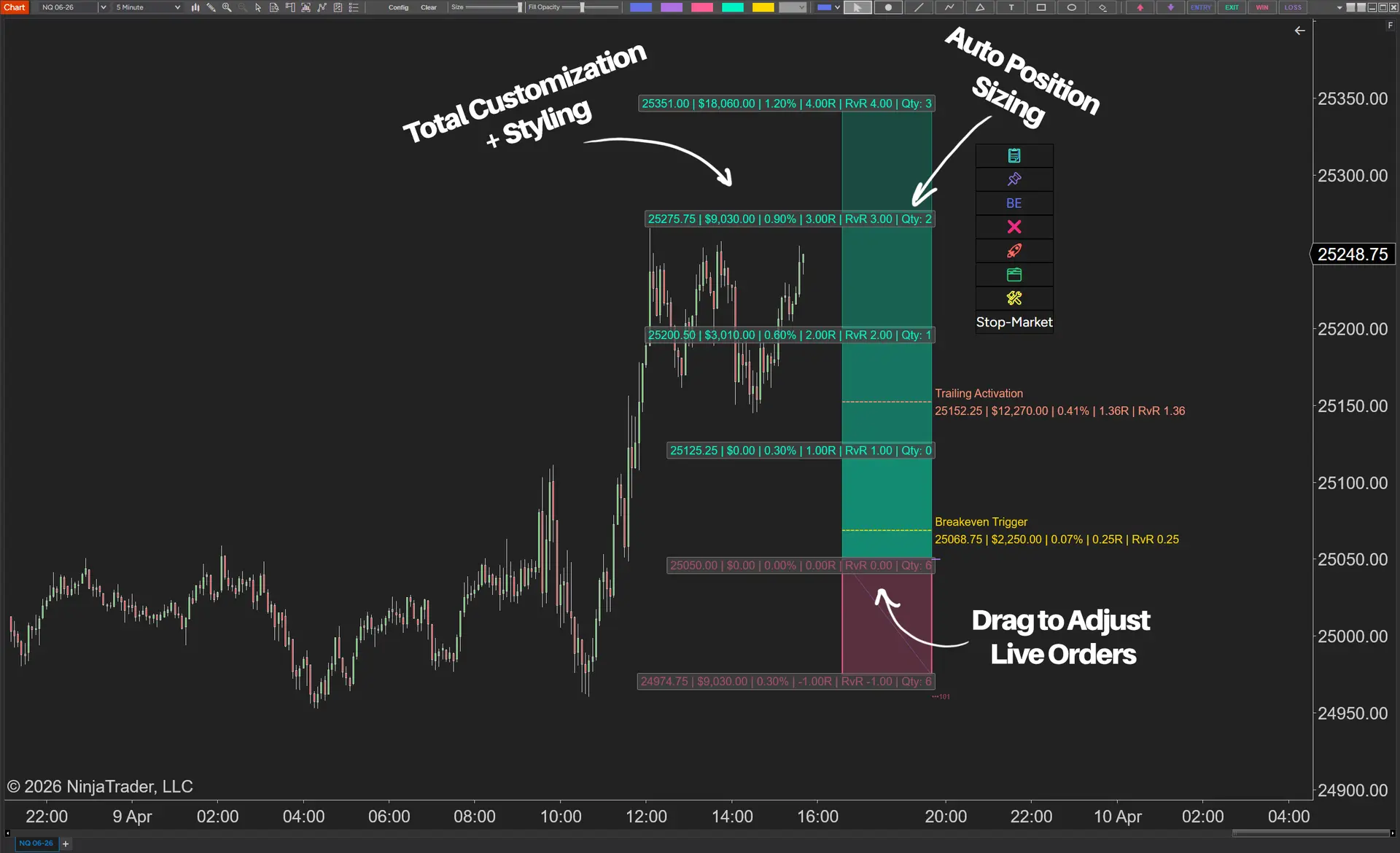
9 risk modes • ghost orders • breakeven • multi-targets • live order adjustment
The fastest way to place risk-based NinjaTrader 8 position sizing trades directly from your chart.
Watch 1-Minute Demo
Buy Now from $199.00
Lifetime License
No subscription
No subscription
Stop Guessing Contract Size
Set your risk once and let the tool calculate the correct quantity before you place the trade.
Stop Building Orders Piece by Piece
Send your entry, stop, and targets together in one clean workflow before the market moves away.
Stop Manually Splitting Targets
Distribute contracts across multiple targets automatically, so your exits match your plan before the trade is live.
Stop Rebuilding Orders After Every Move
Drag the tool on your chart and let your live orders adjust with it, instead of canceling and recreating everything manually.
More Than Position Sizing
What Makes It Different
9 risk modes — Choose from percent of account, fixed dollar, buying power, and more.
Works with any instrument — Works with futures, forex, stocks, and crypto.
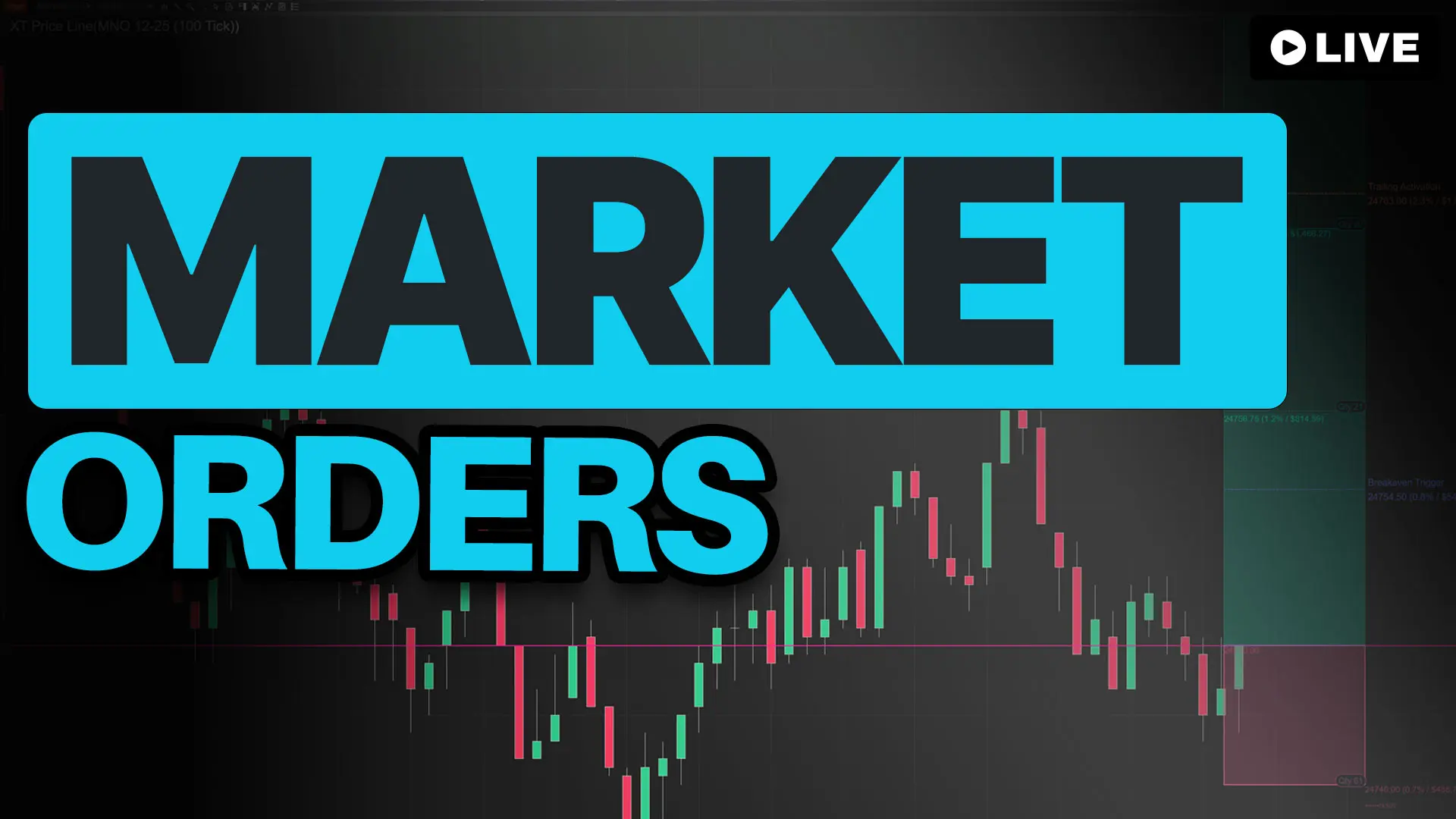
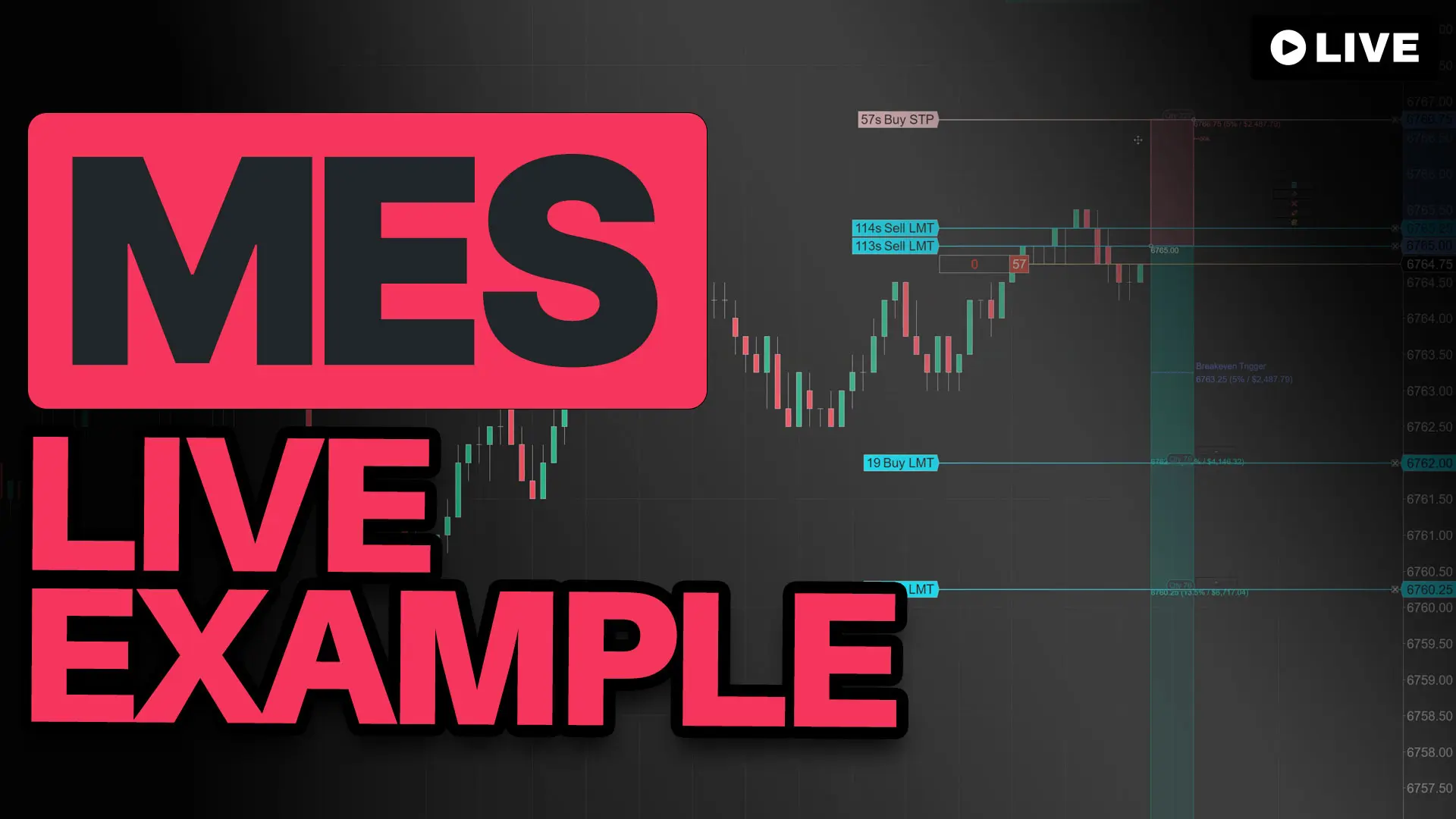
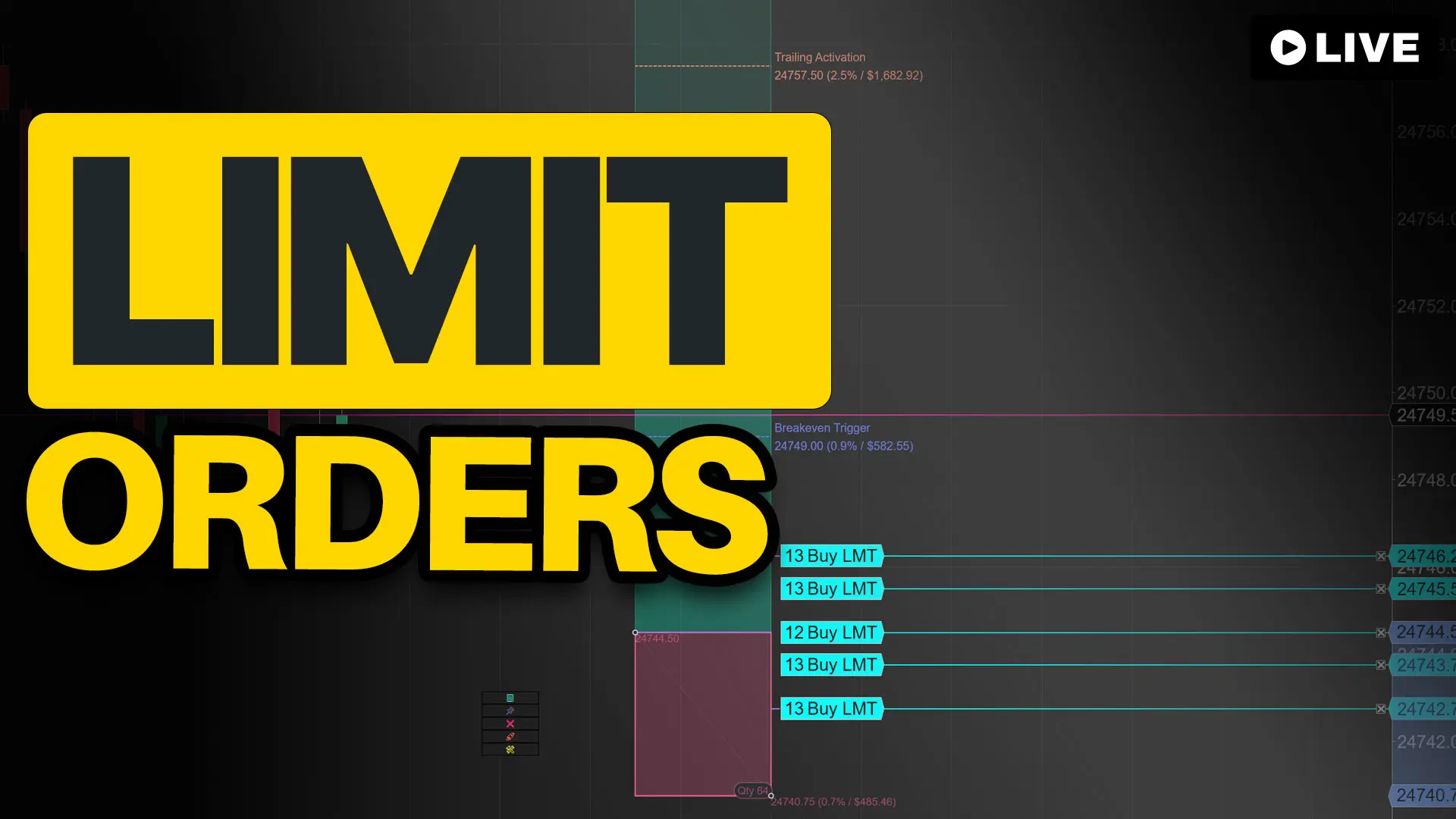
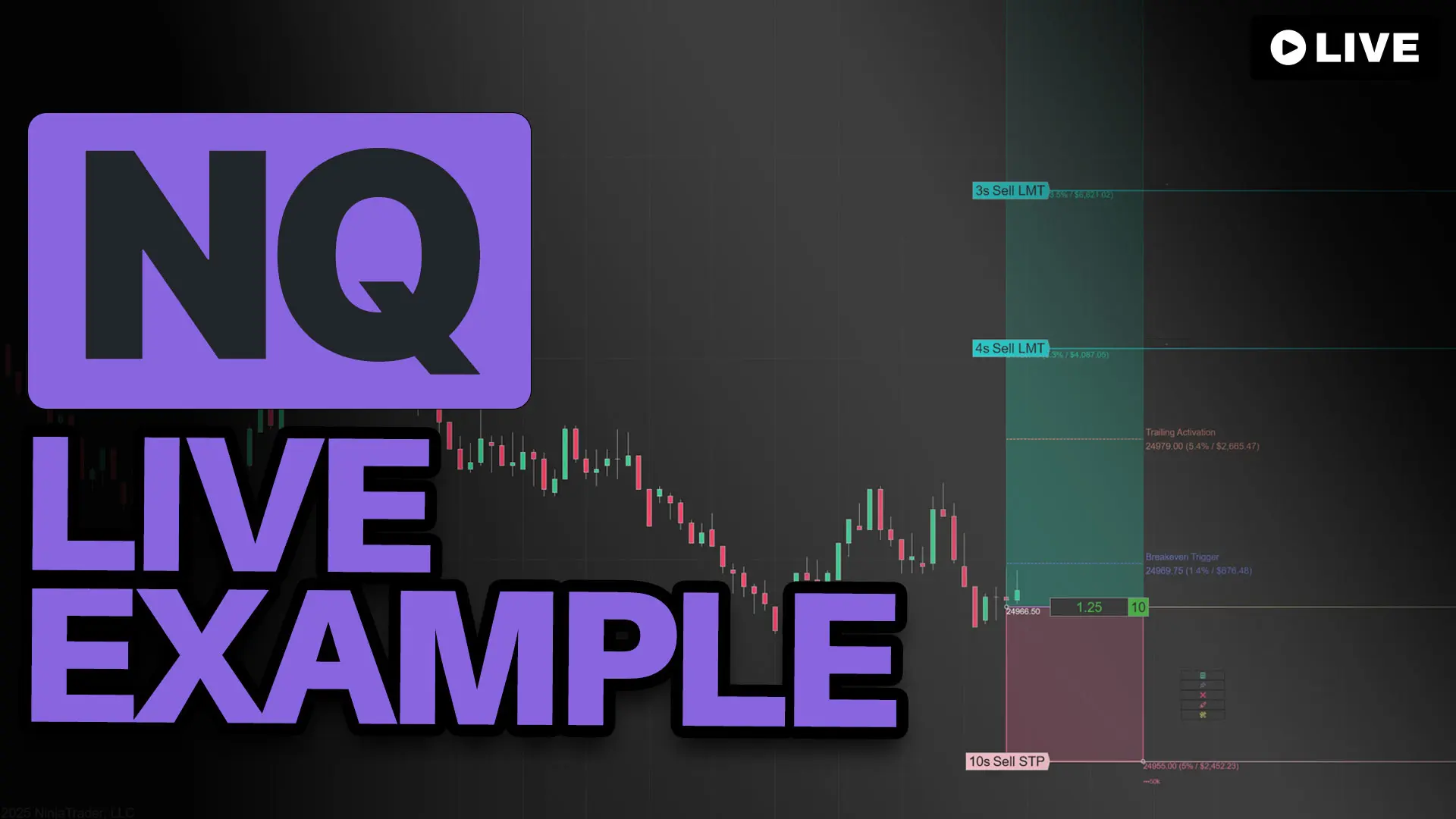
Flexible order types — Use market, limit, stop market, stop limit, and MIT.
Commission-aware — Deduct commission from the risk budget for more accurate sizing.
Works with any instrument — Works with futures, forex, stocks, and crypto.
Flexible order types — Use market, limit, stop market, stop limit, and MIT.
Commission-aware — Deduct commission from the risk budget for more accurate sizing.
What Makes It Powerful
The chart-based trade workflow NinjaTrader traders have been asking for.
Draw entry and stop, and the tool calculates position size instantly from your risk settings. One click sends the full bracket — entry, stop, and targets — linked and ready.
No spreadsheet. No mental math. No ATM hunting.
How It Works
1
Draw It – Click entry, then click stop. The trade appears on the chart.
2
Size It – Position size is calculated automatically from your risk settings.
3
Send It – One click submits entry, stop, and targets together.
4
Automate It – Optional breakeven, trailing, and risk rules run in the background.
More Speed. More Control. More Capability.
Instead of bouncing between windows, templates, and order setup screens, build and manage the trade directly where you make decisions: on the chart.
Without This Tool
- More clicking between windows
- Separate setup steps for entries, stops, and targets
- Harder to visualize the full trade
- more room for sizing and target mistakes
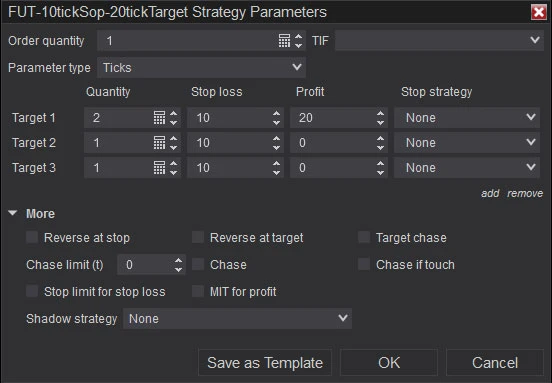
NinjaTrader ATMs can manage exits, but they do not calculate your trade size from your chart risk.
With This Tool
- Build the full trade from the chart
- Send entry, stop, and targets together
- Use hotkeys for faster execution
- Monitor tool performance in real time
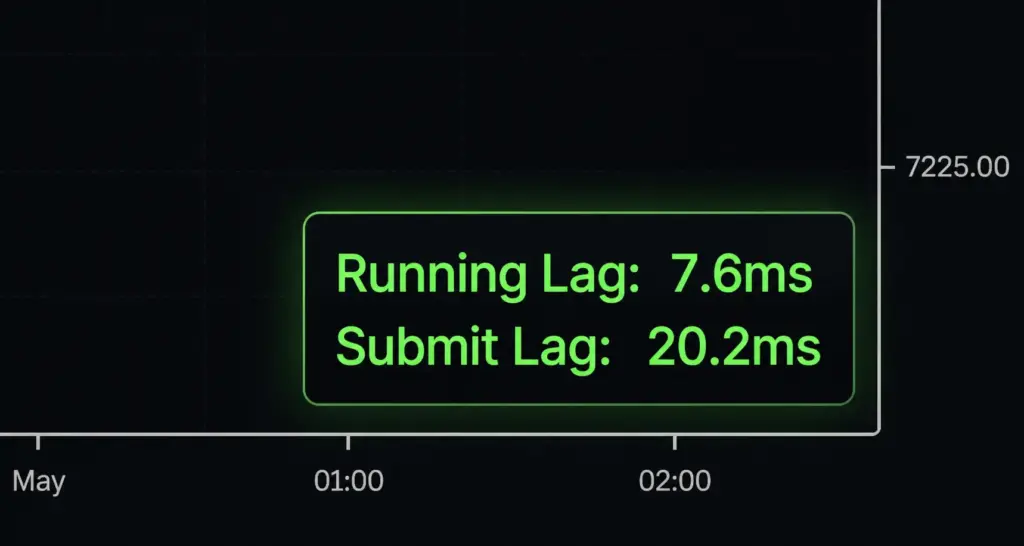
Built-in performance monitoring shows live response times while you trade.
With This Tool: Simpler to Use. More Powerful Too.
- draw directly on the chart
- size the trade instantly
- send entry, stop, and targets together
- adjust visually as the trade evolves
See it before you send it — Preview your full bracket—size, stops, targets—before a single order hits the market.
Manage everything on the chart — Drag your stops, targets, or breakeven and orders update live. No windows. No menus. Just move it.
Lock to the market — Pin your entry to current price—it follows every tick. Pin stops and targets too. Unpin when you're ready to send.
Need speed? — Over 38 customizable hotkeys. Submit, flip, scale—without touching the mouse.
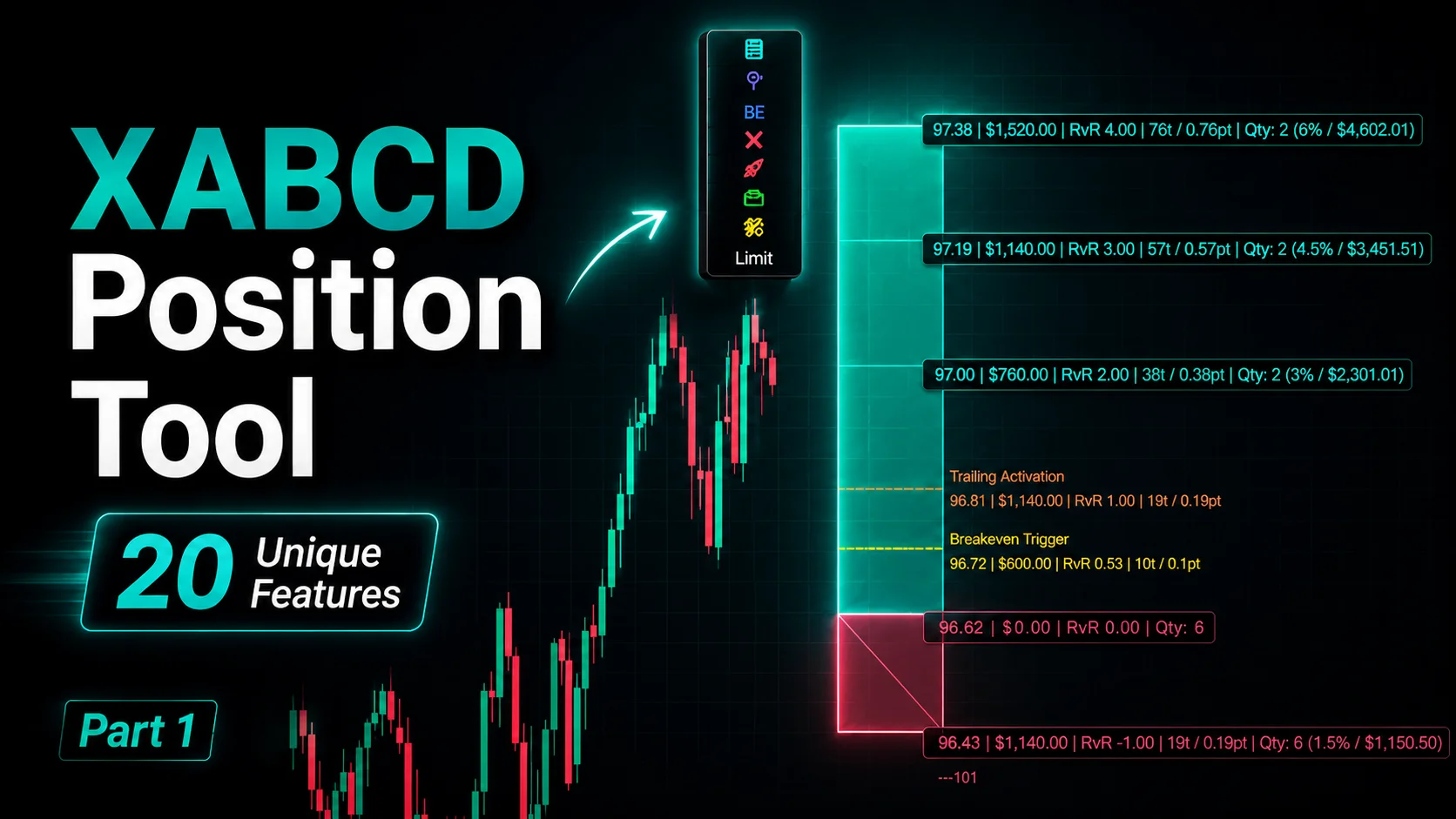
Multiple targets? — Add as many profit levels as you need. The tool allocates contracts automatically—even, front-heavy, back-heavy, or your own split.
Commission-aware breakeven - We include your commission in the breakeven calculation. Stop exiting at a loss thinking you broke even—this feature alone covers the cost of the tool.
What Makes the Position Tool Powerful.
Ghost Orders
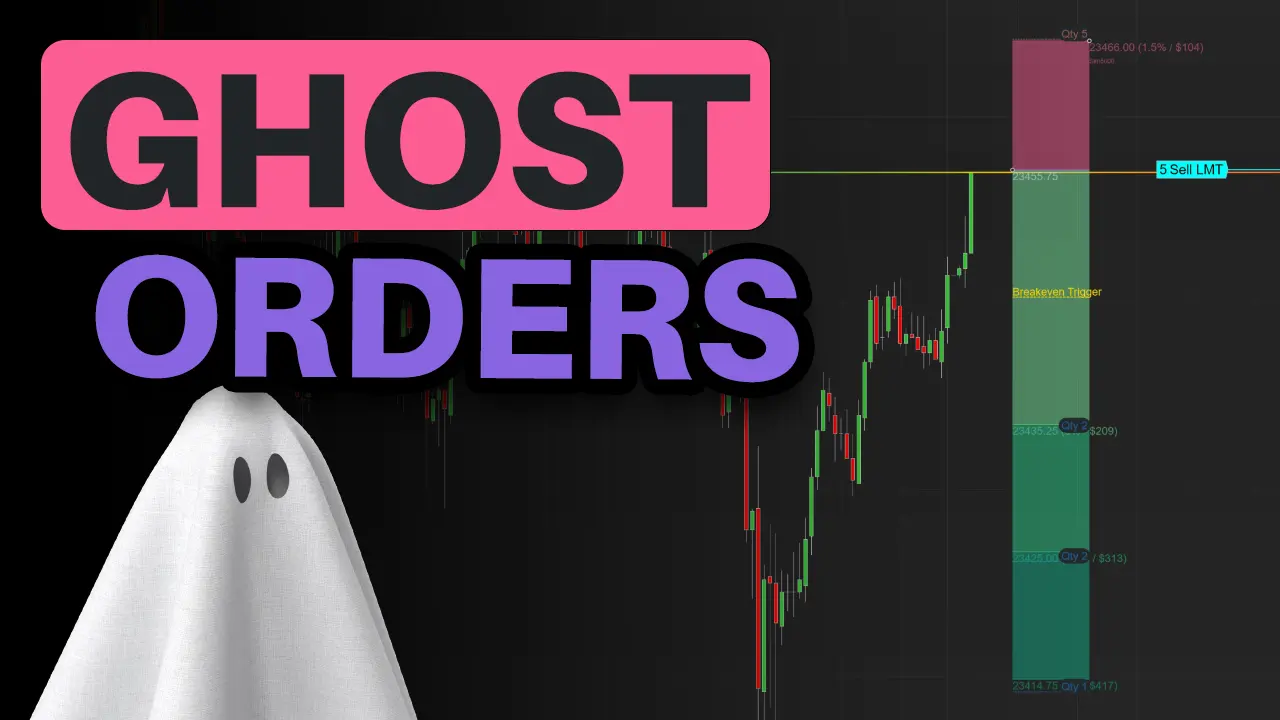
See your full trade and size before you send it. Ghost Orders display your entry, stop, and targets directly on the chart—drag any anchor and watch risk/reward update in real time. Nothing hits your broker until you click submit.
Automated Breakeven
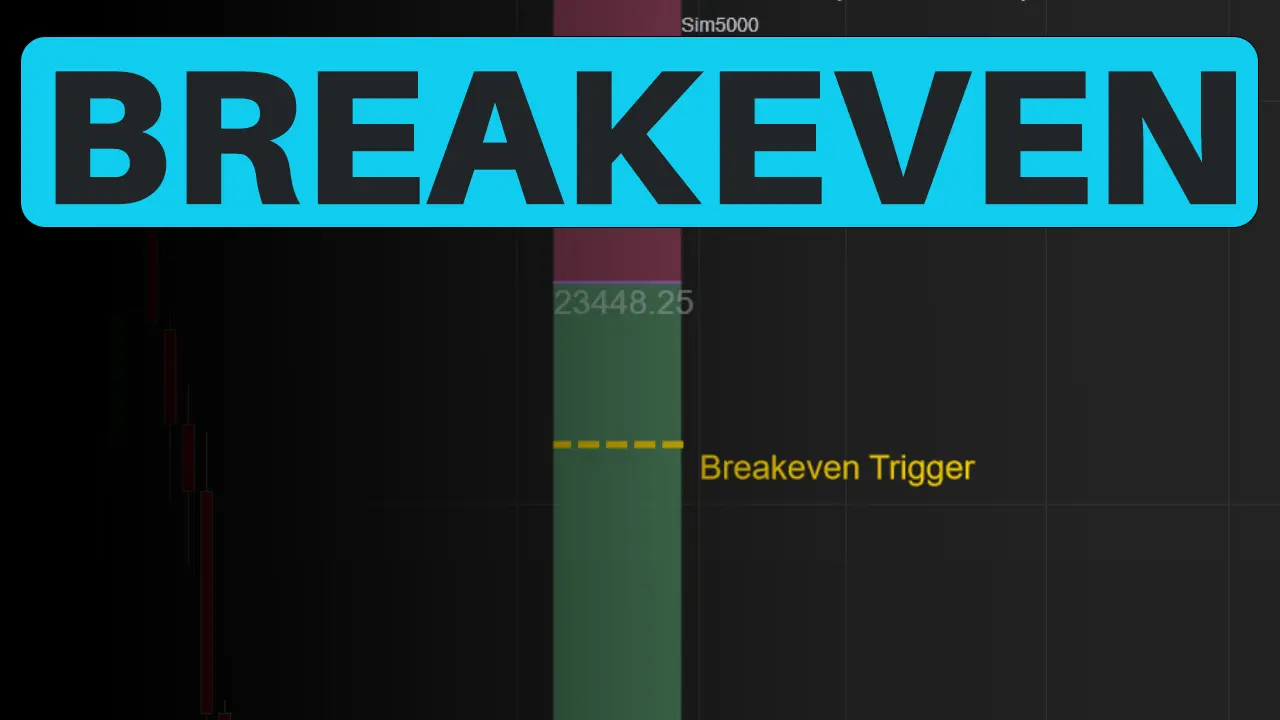
Price moves in your favor? Your stop moves too. Auto Break-Even shifts your stop to entry automatically—no babysitting required. Set your trigger once and let it run.
Risk Guard‑Rails
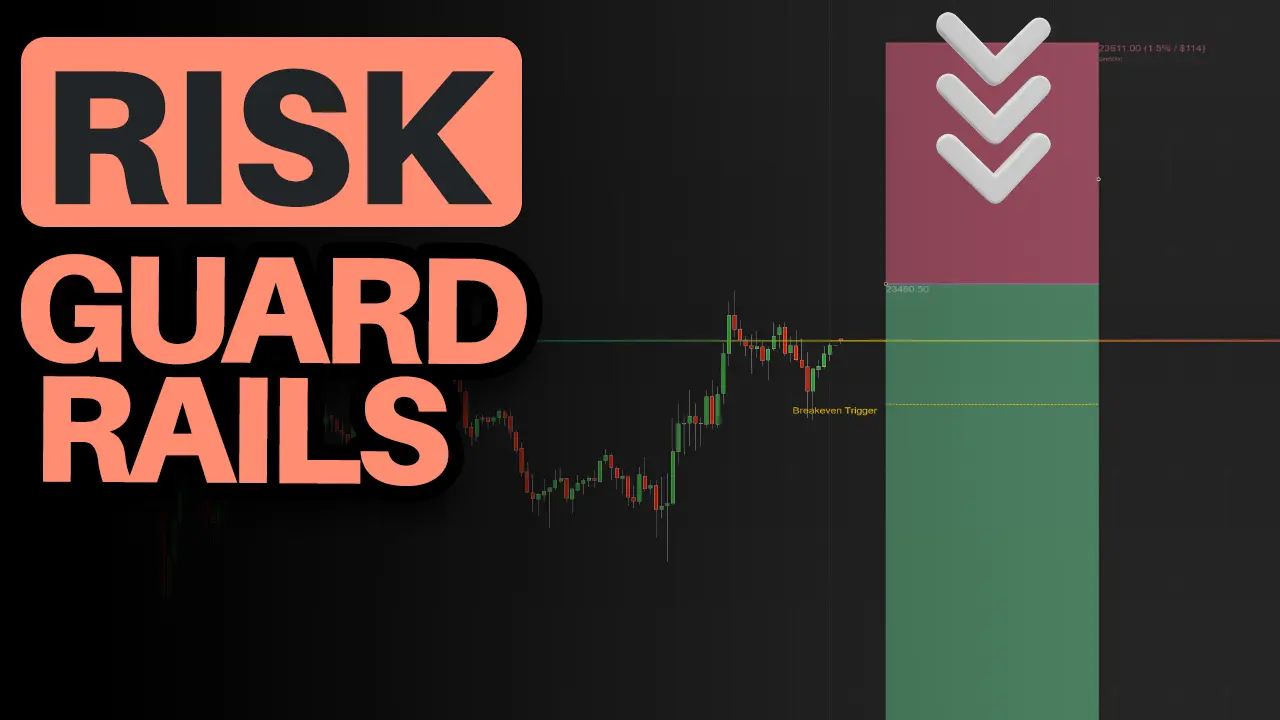
Set a max risk per trade. If your stop is too wide, the tool clamps it automatically—no oversized positions, no blown budgets. You stay within your limits even when you're moving fast.
Full Transparency
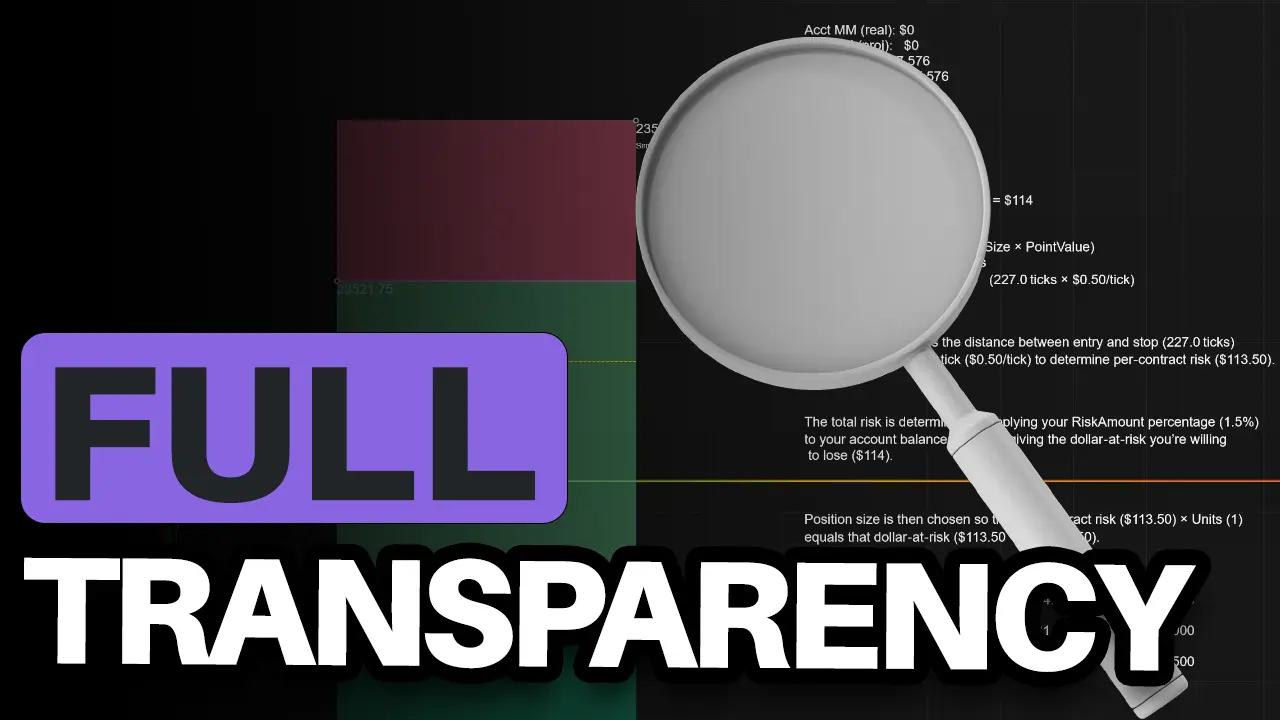
See exactly what's at risk before you trade. Margin requirements, per-contract risk, total exposure—all visible on your chart. No surprises. No mental math. Just the numbers you need to size with confidence.
Smart Allocations for Targets
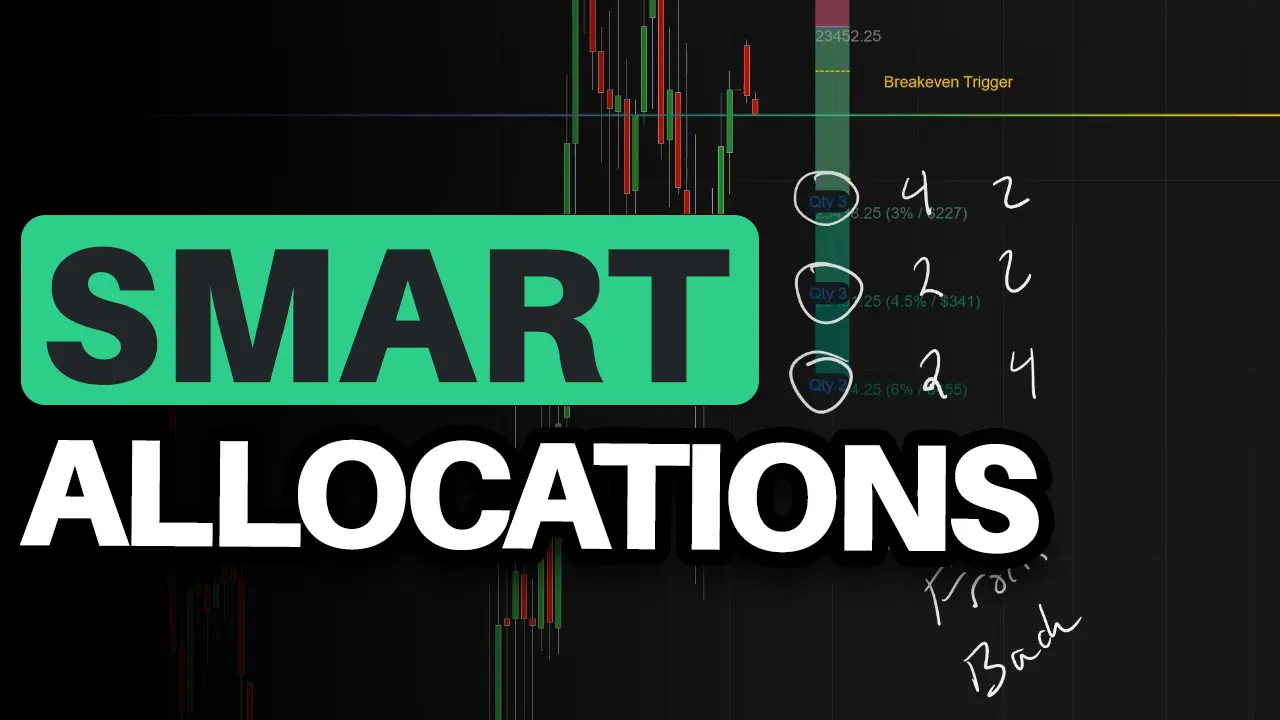
Multiple targets? Decide how contracts get split—even, front-loaded, or back-loaded—and the tool distributes them automatically. See the exact breakdown on your chart. No spreadsheets. No manual lot sizing.
Speed - Hotkeys
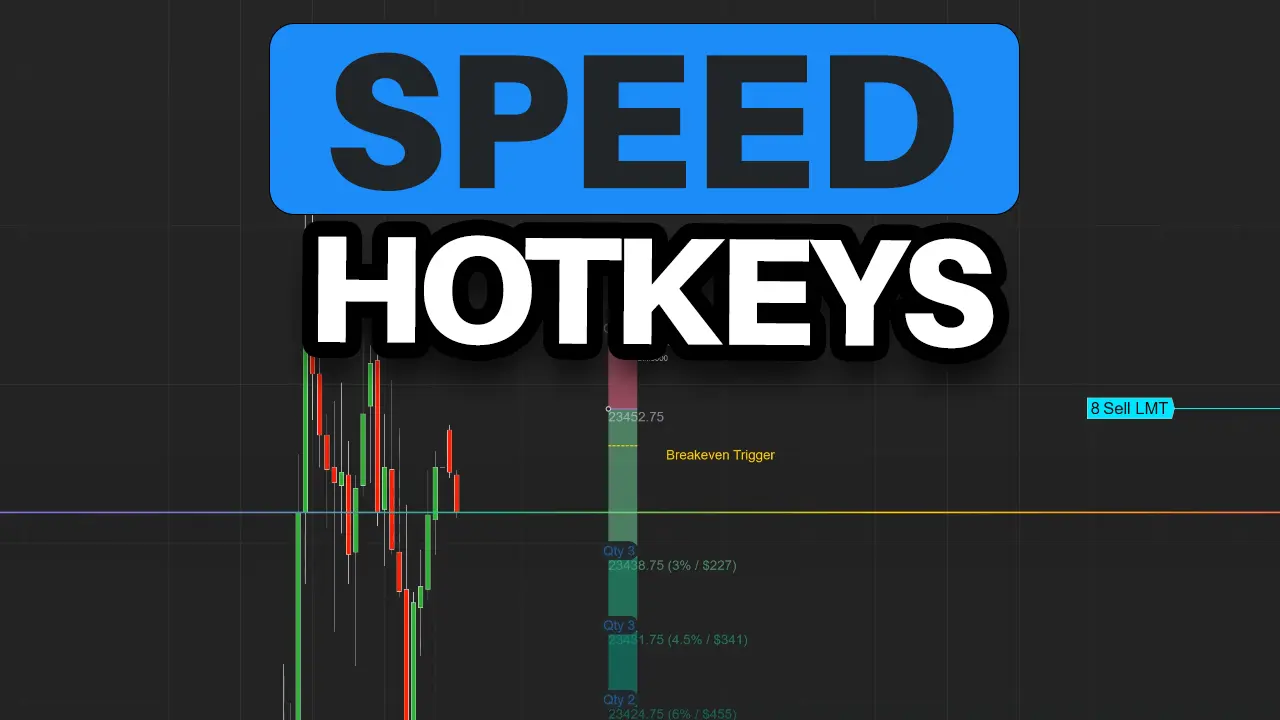
Right-click or hit a hotkey—full OCO bracket submitted. Drag your lines, live orders move with them. No menus, no re-entering. 38+ hotkeys for everything else.
0+
Total Features
0+
Unique Capabilities
0
Configuration Options
And That’s Still Not Everything
Execution & Entry
- One-click trading
- 3 drawing methods
- Entry order type flexibility
- Attach-to-market entry types
- Ghost orders
Risk & Automation
- 10 risk modes
- Breakeven
- Trailing stops
- Daily loss limits
- Account floor guard
- Warning system
- Real-time risk validation
Trade Management
- Scaled orders
- Partial fill live-sync protection
- Position management options
- Smart account sync
- Order confirmation workflow
Customization
- 30+ themes
- Customizable strokes and fills
- Dynamic text and labels
- Visual extensions and guide lines
- Advanced UI controls
Pro Tools
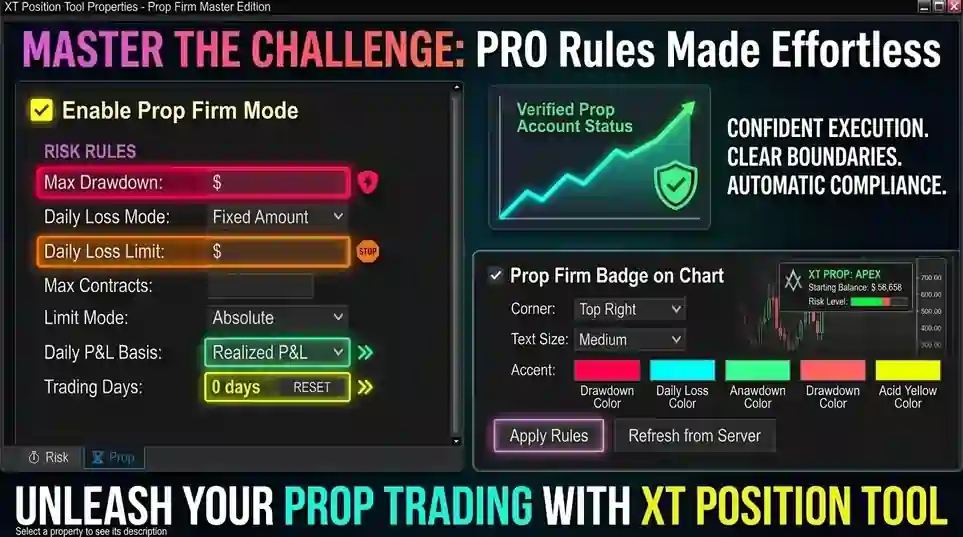
- Prop firm compliance
- News protection
- Commission management
- Maintenance margin display
- Trade commentary and logging
- Text-to-speech alerts
- Trade Commentary Summary
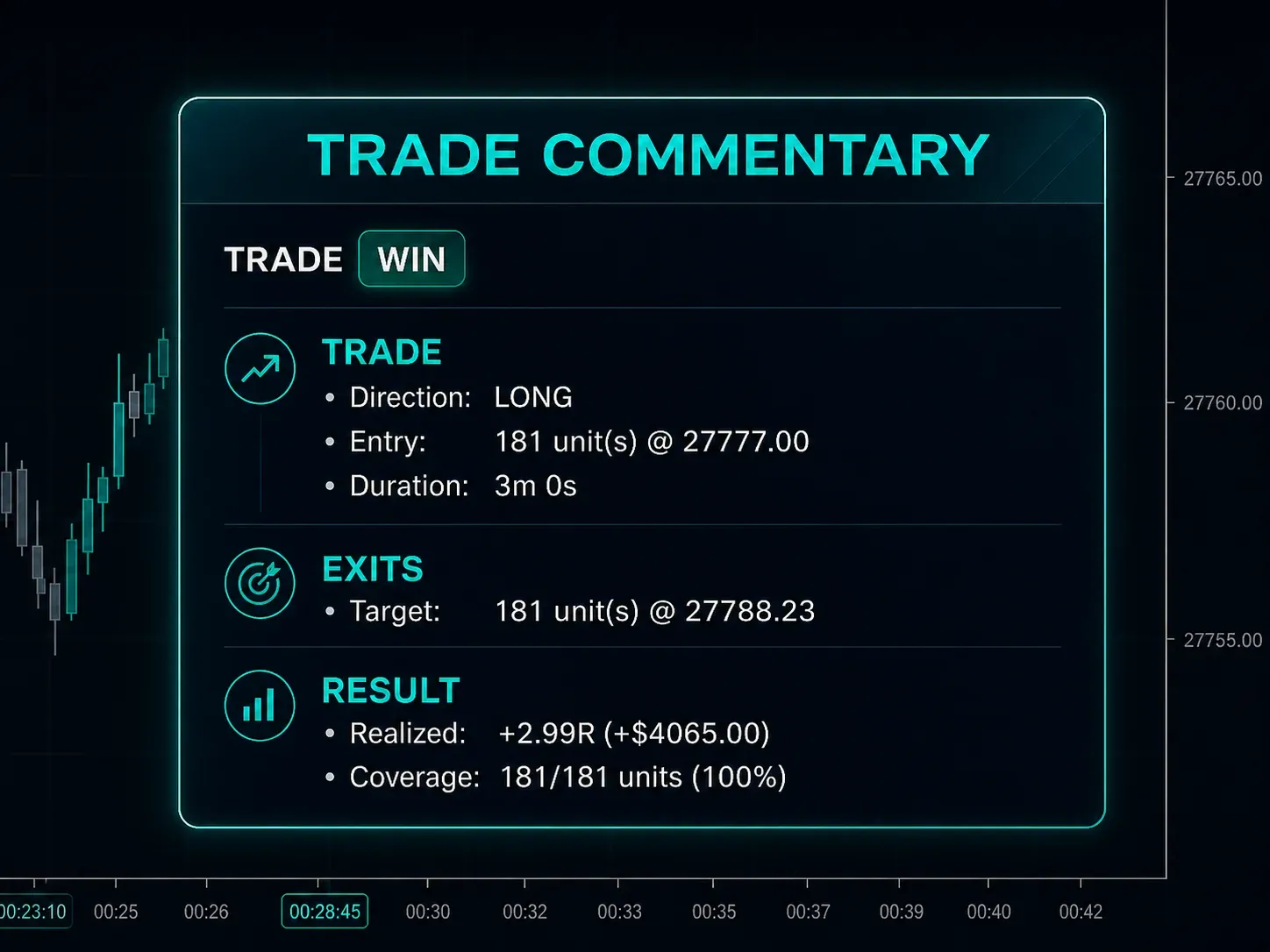
New Feature: Automatic post-trade reports that show what happened, what changed, and how the trade actually performed.
FAQ
Can I place both limit and market orders?
Yes—limit, market, stop market, stop limit, and MIT.
Can I set the max risk as a % or $?
Both, you can set the max risk as a "Percent" or "FixedAmount" which will use the account currency.
Can I limit my maximum loss?
There is an option to enforce the maximum risk per trade, or a daily maximum so that you can't move your stop on the position tool any further or it will prevent you from submitting orders.
Will it work if my account is in EUR/GBP/CAD?
Yes, any base currency.
Futures/forex/stocks/crypto supported?
Yes. Works with any instrument NinjaTrader supports.
Does it auto‑update the ChartTrader quantity?
Yes—your calculated size syncs automatically.
Can I submit just the entry first?
Yes, these are "Ghost Orders" and the stops and targets are placed after you enter the market, but before you enter the market you will be able to see where they will be filled with their position size.
How does the breakeven trigger work?
Set your trigger in ticks, pips, or percent—once price moves that far in your favor, your stop automatically moves to breakeven. Works the same across futures, forex, or stocks.
Is it hard to install?
One-click installer. Under a minute.
Do I pay additional for upgrades?
No, your upgrades are included with the price of the software.
How many computers can I use it on?
One license = one computer. Need two machines? Grab a double license. Either way, you can transfer to a different machine anytime.
Do you offer support?
We do! We even have remote tools if we need to assist you that way.
Secure Your Copy
Support and Upgrades Included!
Get your life-time license for our position sizing tool in NinjaTrader 8 with one simple payment.
License summary: Personal, non-transferable — assigned to one named user and one machine
Is This For You?
#1 Platform: NinjaTrader 8 - You trade NinjaTrader 8 (futures, forex, stocks)
#2Position Sizing - You want position sizing that adjusts to your stop automatically
#3Tired of ATM's - You're tired of manual calculations and ATM workarounds
#4 Learned the Hard Way - You've messed up lot sizes and paid for it
#5Prop Firm Rules - You're in an evaluation with strict daily loss limits.
#6One-Click Brackets - You want full OCO orders without digging through menus.
Probably Not, If:
#1 Your looking for a strategy (this can be used with any strategy)
#2 You want signals
One Payment. Lifetime Access.
Pay once. Use it forever. Updates included.
Personal, non-transferable — assigned to one named user and one machine
Position Sizing That Actually Understands Risk
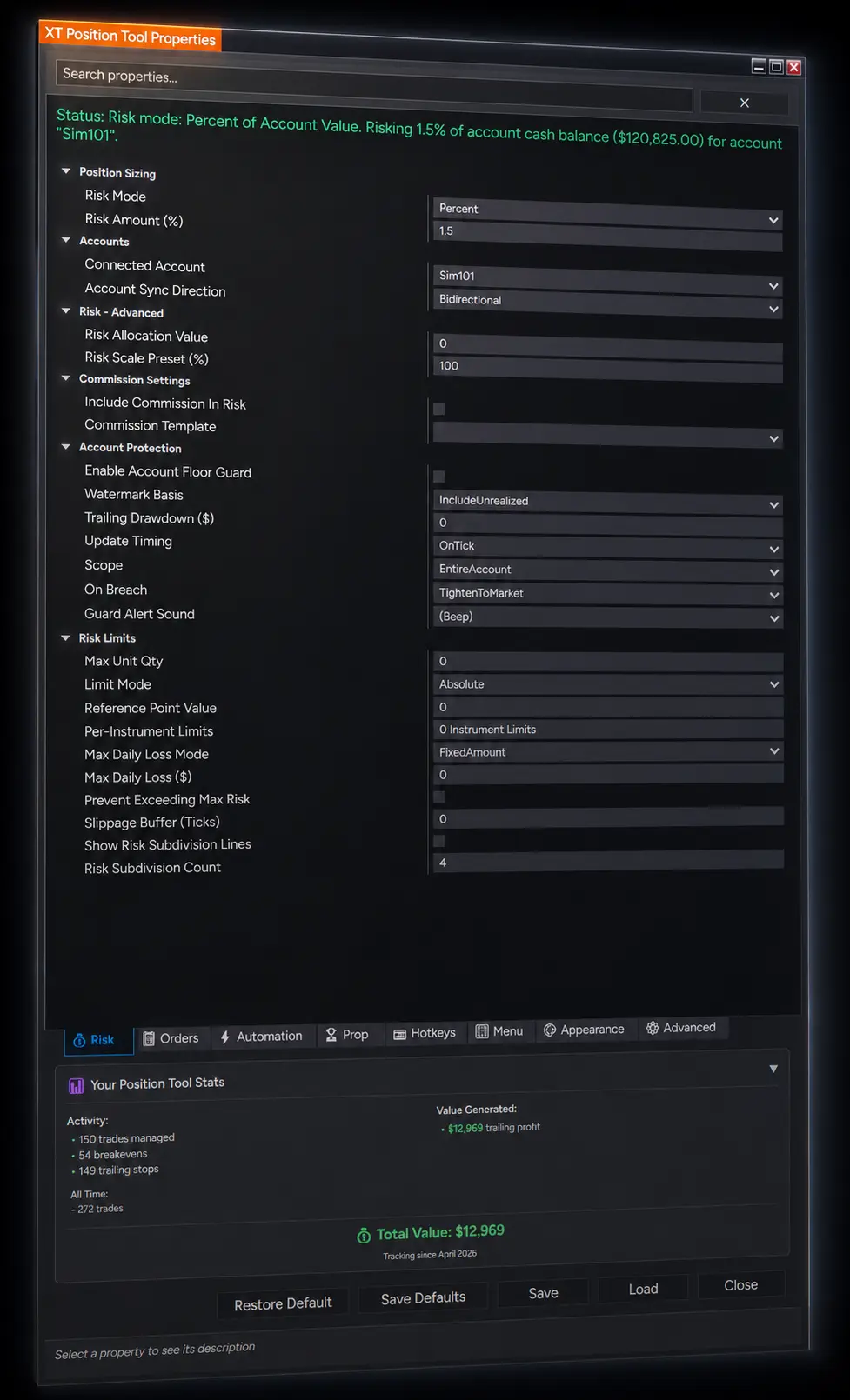
Position size is calculated for you — no spreadsheet math, ever.
Three sizing modes: Fixed Risk ($), Fixed Contracts, or Risk Percent.
Risk shown four ways at once — dollars, R-multiples, percent, ticks. You always know what you're putting on.
Account Floor Guard: hard-stop trading the moment your account drops below your minimum.
Commissions are baked into every risk and breakeven calculation. No surprises.
A Trading Interface That Adapts To Your Style
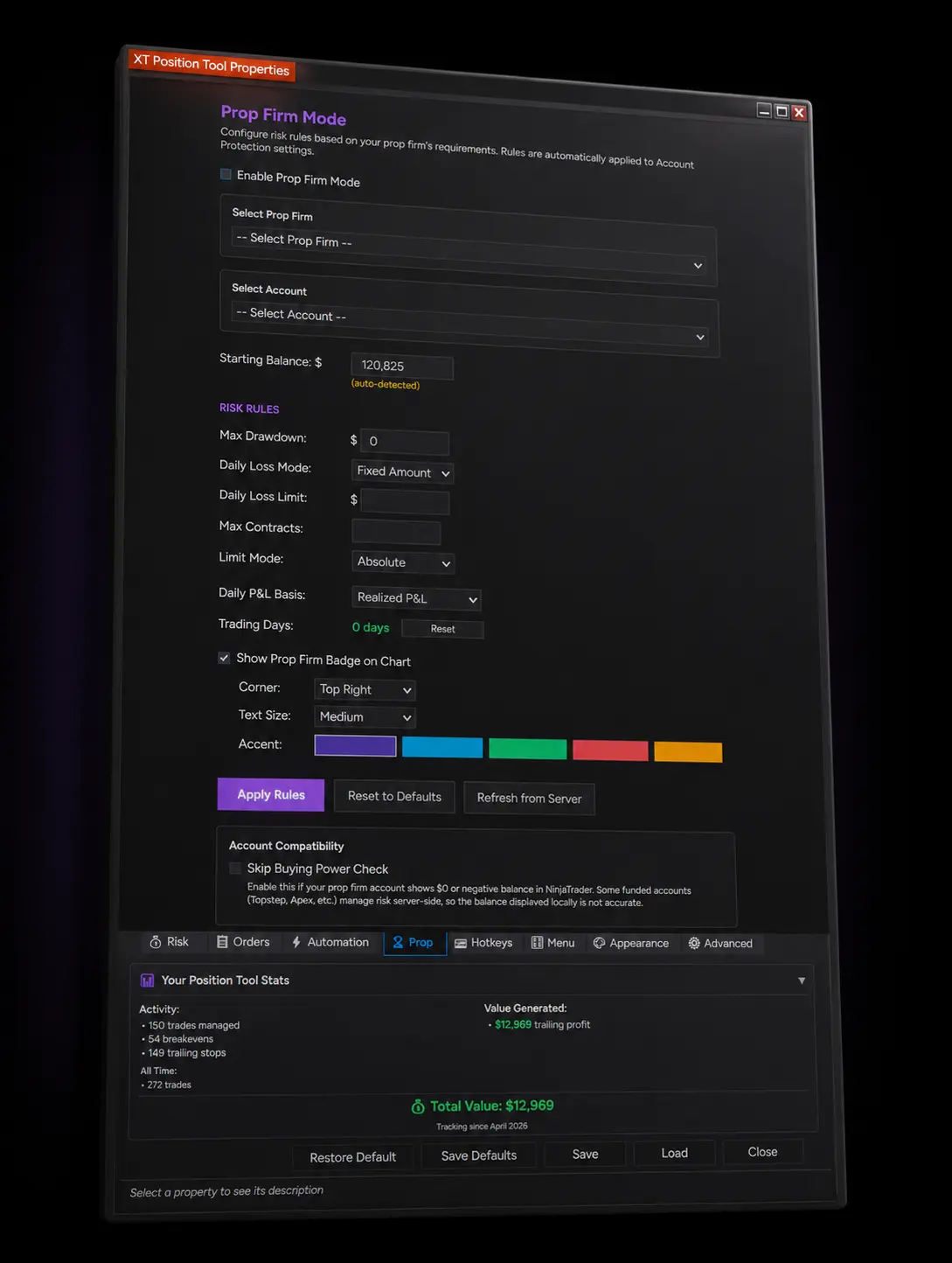
30+ hotkeys, every one rebindable to whatever fits your muscle memory.
Each hotkey has its own modifier — Ctrl+Shift+X for one, Alt+F for another, whatever you prefer.
Each hotkey has its own enable toggle — park bindings without losing them.
Save 7 complete configurations as templates, each bound to its own hotkey.
Per-instrument, per-strategy, per-trader configs — your setup, your way.
Every Button. Every Shortcut. Exactly Where You Want It.
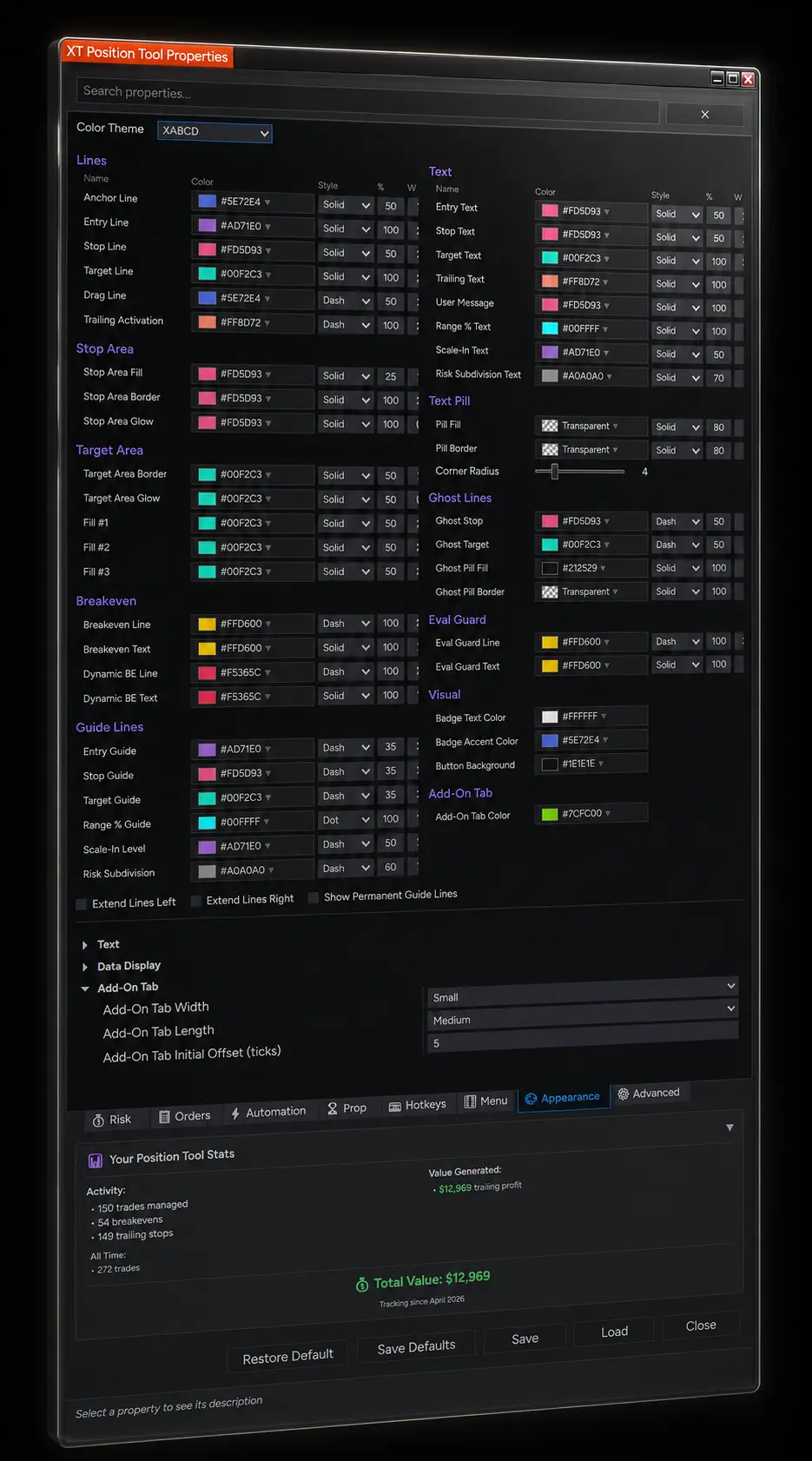
Style every line individually — entry, stop, targets, breakeven, trailing, DCA.
Toggle every button on or off — show what you use, hide what you don't.
Built-in themes and color schemes for one-click visual consistency.
Tool state restores automatically — your setup persists across NinjaTrader restarts.
Permanent on-chart guide lines stretch entry/stop/target across the full chart for easy alignment.
Your Trade Menu, Floating Right Where The Action Is.
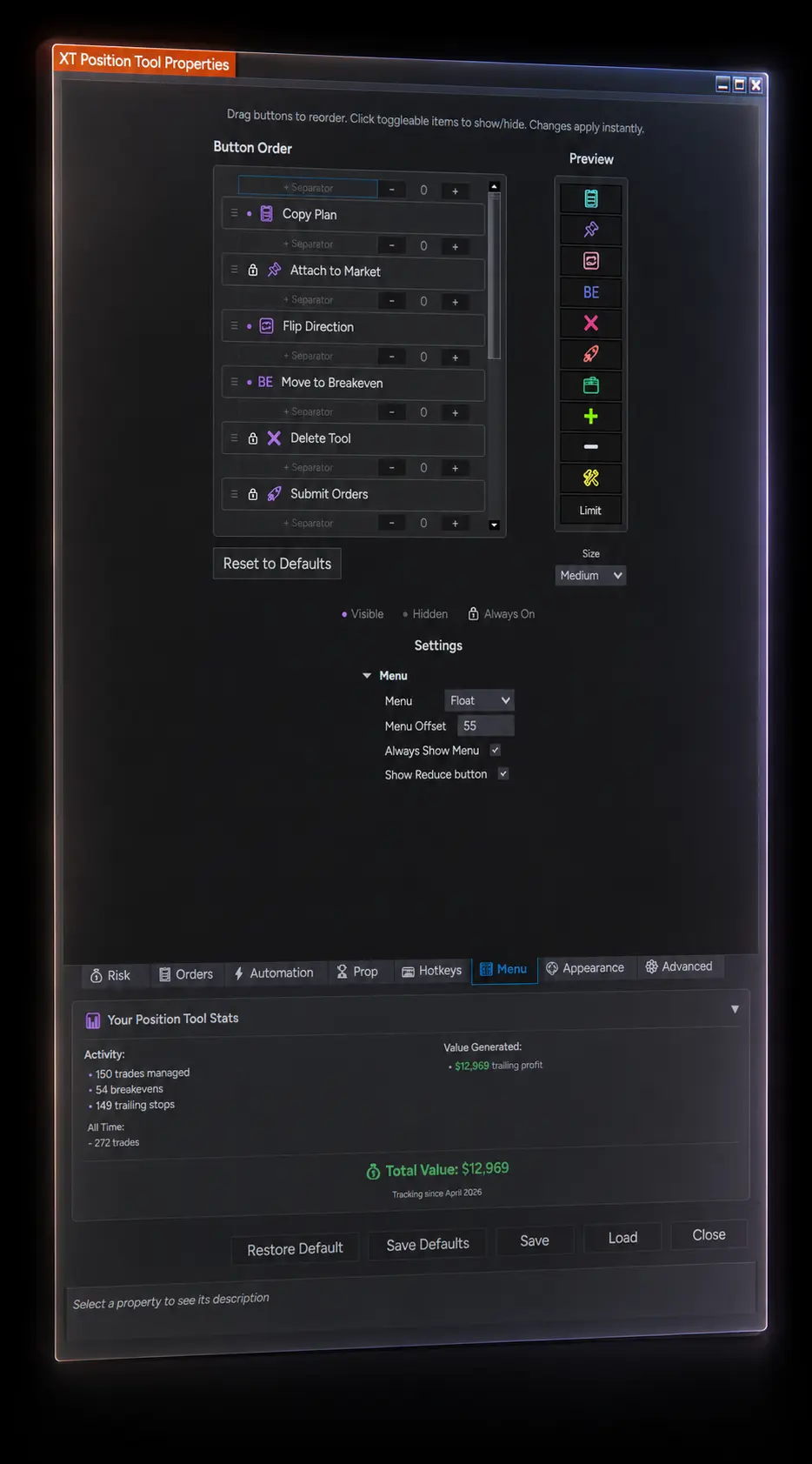
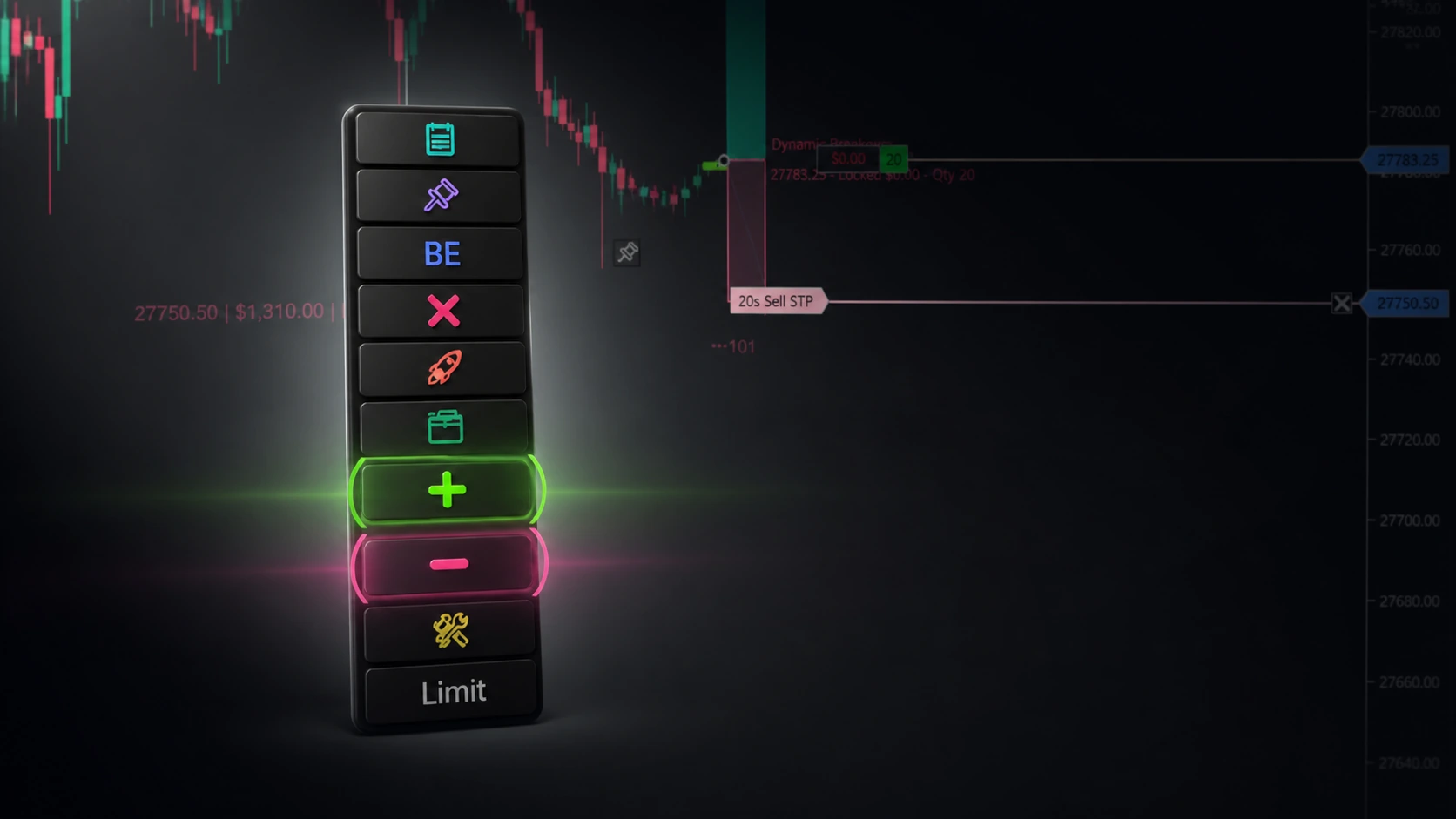
Floating menu lives on the chart, not buried in a sidebar.
Hide the entire menu with one keystroke for clean screenshots, restore with another.
Show only the buttons you trade with — Reduce, Flip, BE, Submit — and hide the rest.
Hover-tab handles make overlapping lines individually clickable again.
Every button tooltip shows its bound hotkey so you never forget your shortcuts.
Execute Faster Than The Mouse Ever Could
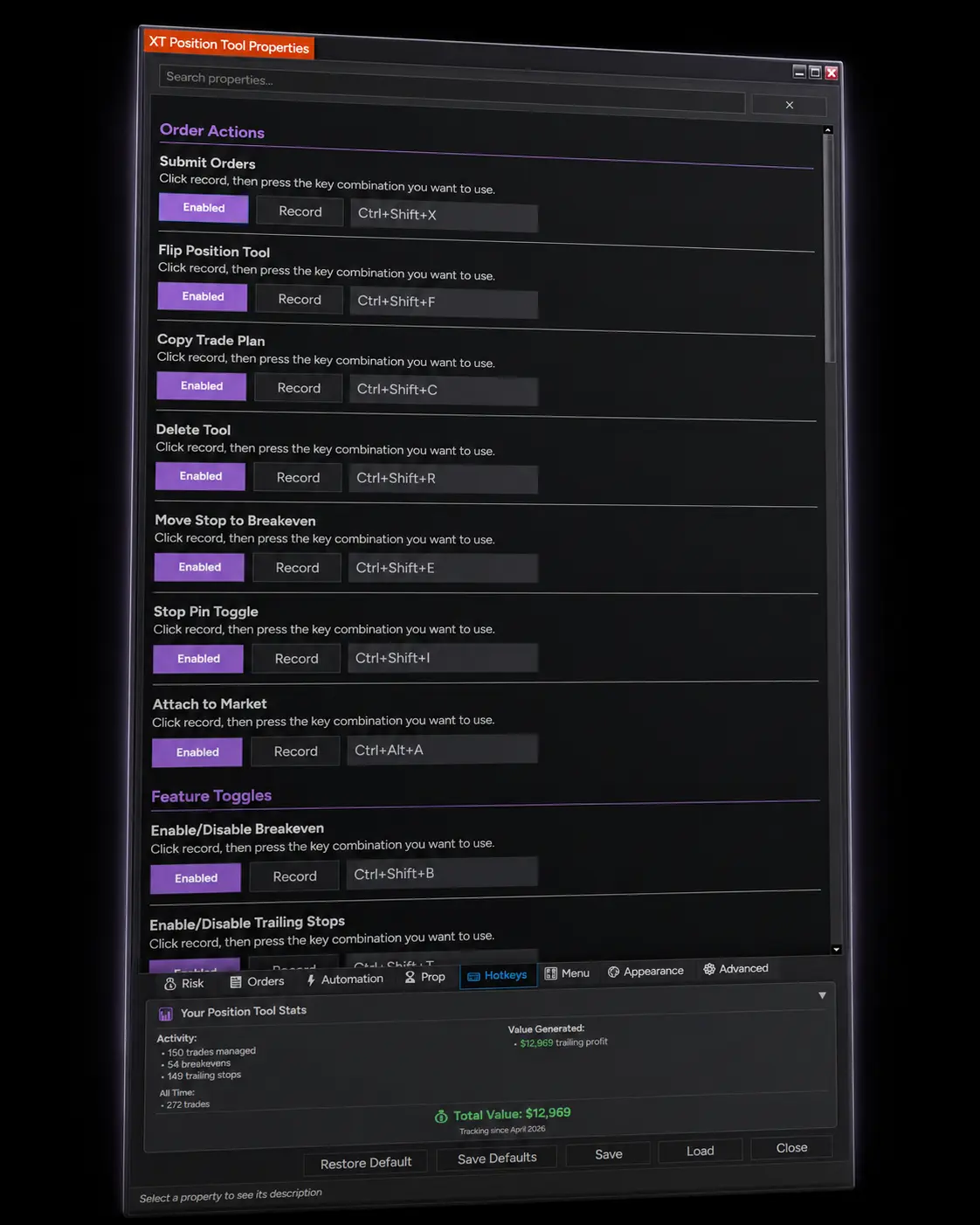
Trade entirely without touching your mouse — 30+ keyboard shortcuts for every action.
Submit, Flip, Reduce, Delete — open, reverse, scale out of, or kill a trade from the keyboard.
Tick-by-tick keyboard nudge on stop and entry prices — no mouse-drag, no jitter.
Risk Scale Up/Down on a key — dial position size live, mid-decision.
10× the keyboard surface of stock NinjaTrader ChartTrader.